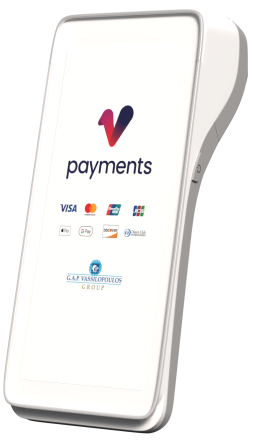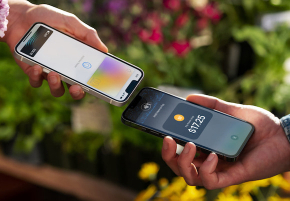

From today, any Vpayments merchant in Cyprus can turn an iPhone into a payment terminal. Tap to Pay on iPhone lets you accept contactless cards, Apple Pay and other digital wallets on the device you already carry, with the same acquiring, settlement and support you get from our physical terminals.
What it is
Tap to Pay on iPhone uses the NFC chip in iPhone XS and later to read contactless cards and wallets. The card never leaves the customer’s hand; they hold it to the top of your phone, the payment is authorised through Worldline, and a digital receipt is sent by email or SMS. Card data is encrypted on the device and never touches your phone’s storage.
There is nothing to plug in and nothing to charge. If you have an iPhone running the current iOS and a Vpayments merchant account, you are ten minutes from taking your first payment.
Who it is for
We built the rollout around three kinds of merchant we hear from most often.
- New and seasonal businesses that want to start accepting cards this week rather than waiting for hardware and a contract to arrive.
- Mobile trades and delivery, from plumbers to florists, who want to close the sale at the door without carrying a second device.
- Hospitality and events that need extra capacity at peak times without buying terminals that sit idle for eleven months of the year.
How it works with the rest of Vpayments
Tap to Pay on iPhone is a payment method, not a separate account. Transactions appear in the same daily settlement report as your countertop and portable terminals, under the same merchant ID, and settle to the same bank account on the next business day. If you already reconcile Vpayments payments with your accounting software, nothing changes.
Our Saturday queue used to be the point where people gave up. Two phones at the door and it is gone.
Nefeli Taverna, Larnaca (early access merchant)
Pricing
There is no monthly rental for Tap to Pay on iPhone. You pay the processing fee on each transaction at the rate in your existing Vpayments agreement. If you do not yet have an agreement, we quote a single blended rate or interchange-plus pricing in writing before you sign anything.
Getting started
- Contact us or ask your account manager to enable Tap to Pay on your merchant account.
- Install the Worldline app from the App Store and sign in with the credentials we send you.
- Accept the Tap to Pay terms on the device and run the test transaction in the app.
- Take your first payment. Receipts, refunds and reporting all live in the app and in your Vpayments dashboard.
Apple Pay and Tap to Pay on iPhone are trademarks of Apple Inc. Availability requires a supported iPhone and the current version of iOS.